Notifications
Choose which emails and phone notifications you get about places, groups and your account's security.
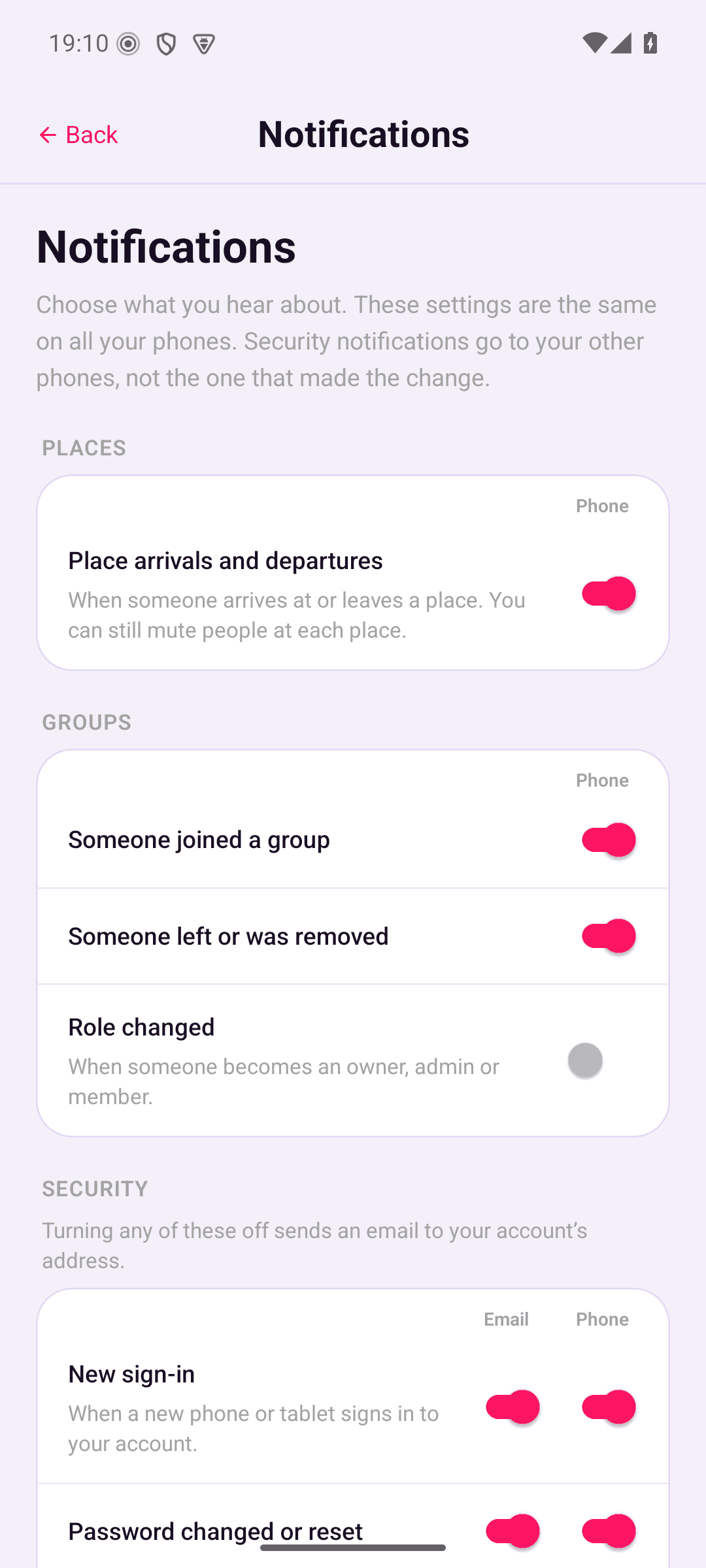
Go to Account › Notifications. Each switch turns one kind of message on or off. Your settings are the same on all your phones, so changing one changes it everywhere.
What you can turn off
| Section | Message | Phone | Starts | |
|---|---|---|---|---|
| Places | Place arrivals and departures | No | Yes | On |
| Groups | Someone joined a group | No | Yes | On |
| Someone left or was removed | No | Yes | On | |
| Role changed | No | Yes | Off | |
| Security | New sign-in | Yes | Yes | On |
| Password changed or reset | Yes | Yes | On | |
| Recovery phrase changed or reset | Yes | Yes | On | |
| Other sessions signed out | Yes | No | On | |
| Device removed | Yes | Yes | On | |
| Account deletion scheduled | Yes | No | On |
If your server sends email, each Security row has an Email switch and a Phone switch. Our hosted server sends email. On a server that doesn't, every row has one switch, for phone notifications.
Signing out your other sessions and scheduling deletion both sign your other phones out, so the Phone switches on those two rows have no phone to notify.
Turning off Place arrivals and departures stops place alerts on all your phones. To hear about some people and not others, mute them at a place instead. Arrivals and departures still show on the group's History tab either way.
Security notifications
Security notifications go to your other phones, not the one that made the change. For example, when a new phone signs in to your account, your other phones tell you. They reach every phone signed in to your account, even if it isn't in a group or sharing its location.
A phone only gets security notifications from after it signed in, so a phone that signs in again doesn't show old ones.
Turning off any security email or phone notification tells you about it. Your other phones show Security alerts turned off, naming each one you turned off. If your server sends email, you get an email too. That way you'd notice if someone else turned them off. Turning a switch off only affects notifications from then on. Turning off place or group notifications doesn't send anything.
Messages you can't turn off
These have no switch on the Notifications screen:
- emails with a code
- the email saying an account already exists, when someone signs up with your address
- the email saying your account was deleted
- the email and the Security alerts turned off notification
- the email and the notification when sign-in codes are turned on or off
- the Location sharing status and Sharing alerts notifications. See On this phone.
When notifications arrive
Your phone writes each notification itself, using the nicknames you've given people. It picks up new ones each time it sends its location to the server, and security notifications whenever you open the app.
- On our hosted server, about 16 seconds after something happens, the server wakes your phones with a push so they check straight away. A place alert usually arrives about 2 minutes after someone arrives or leaves. Their phone waits 2 minutes to be sure, then the wake-up and check take a few seconds. Each phone is woken at most once a minute, so when several things happen close together, the later ones can take up to a minute longer. Android may delay a wake-up while your phone is idle.
- On a self-hosted server, there are no pushes. Phones get notifications with their next location upload, usually a few minutes later.
- While a phone's sharing is paused, it still gets notifications. On a self-hosted server they can take longer, up to about 15 minutes or until a timed pause ends.
- A phone that isn't sharing and isn't paused, for example because location access is off or you aren't in a group yet, gets no place or group notifications until sharing starts. It still gets security notifications.
Notifications only cover the last 24 hours. A phone that's been off for longer doesn't get older ones.
The push holds no names, places or message text. See What the server can see.
On this phone
Android sorts OpenBeacon's notifications into five categories. None of them include anyone's location, though place alerts name the place someone arrived at or left.
| Category | Notification | When you see it |
|---|---|---|
| Location sharing status | "Sharing your location" or "Location sharing paused" | All the time while this phone is sharing its location, or sharing is paused. Android requires it for apps that share location in the background. |
| Sharing alerts | "Location sharing stopped" | OpenBeacon can no longer use your location all the time. |
| "Signed out of OpenBeacon" | This phone is signed out or removed from your account. | |
| "Update OpenBeacon" | The app needs updating before sharing can carry on. | |
| "Location sharing paused" | Your server is being updated, or needs updating, before sharing can carry on. | |
| "Location sharing changed" or "Location sharing turned back on" | You paused or resumed sharing on another phone and this one needs opening to catch up. | |
| The group and the place, for example "Family added 🏠 Home" | An owner or admin adds or moves a place, so you know this phone will send its arrivals and departures there. | |
| Place alerts | Where someone arrived or left, with their phone underneath, for example "Arrived at 🏠 Home" and "Sam's Pixel 9" | Someone in your groups arrives at or leaves a place. See Places. |
| Group activity | Who joined, left, was removed or changed role, for example "Emma joined Family" | Something changes in one of your groups. |
| Security alerts | What changed, for example "New sign-in" | A security change to your account is made on another phone or tablet. These also show inside the app while it's open. See Security notifications. |
Several notifications of the same kind are grouped together. To change how a category looks or sounds, or to turn it off on this phone only, open Android's Settings › Apps › Open Beacon › Notifications.
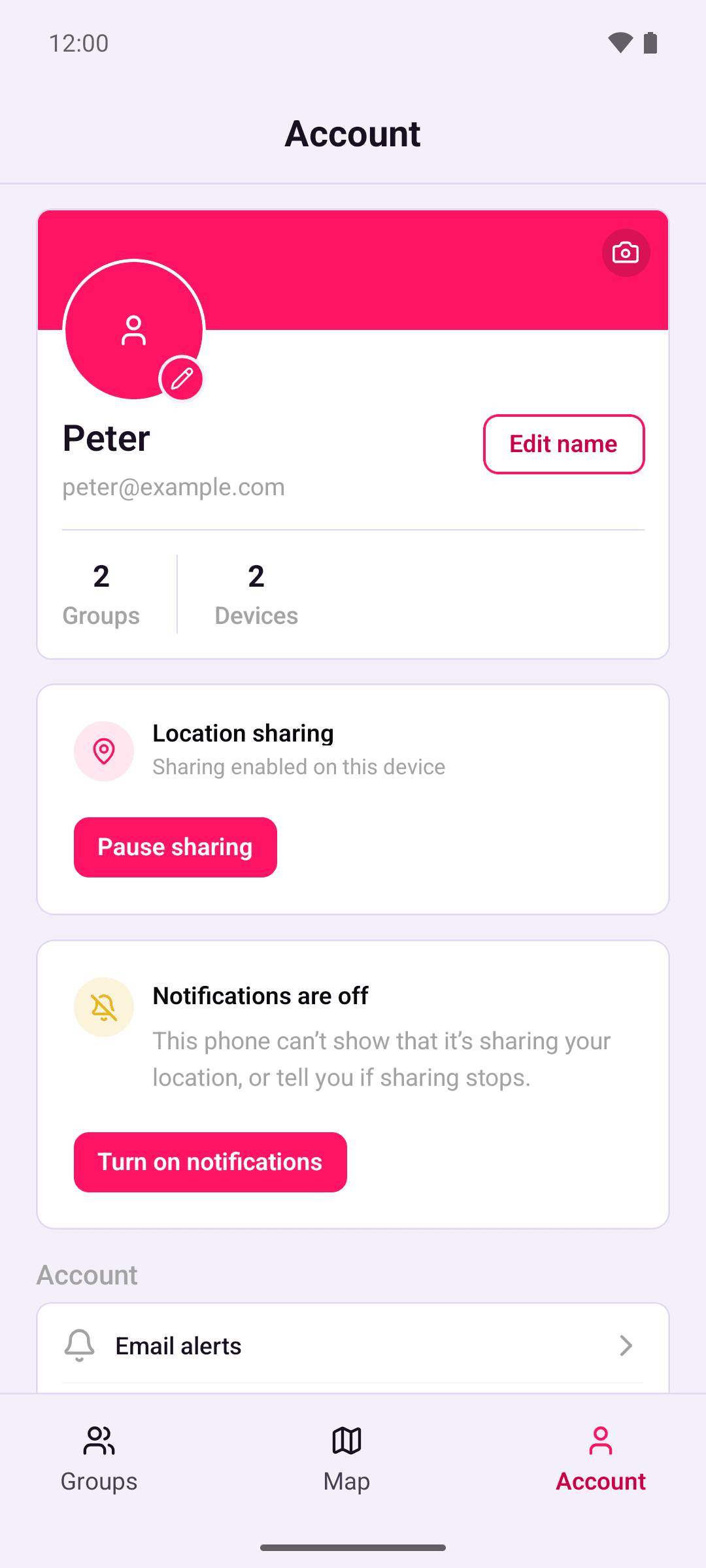
Sharing still works with notifications off, but your phone can't show that it's sharing, and you won't be told if sharing stops. While notifications, Location sharing status or Sharing alerts is off, the Account tab and Account › Notifications show a "Notifications are off" card. Tap Turn on notifications to allow them. If Android won't ask again, the button opens Open Beacon's notification settings instead.
What's in an alert email
Each email says what happened and when, in your time zone and in UTC. New sign-in emails name the device's model. Other emails that mention a device use the name you gave it. Emails never contain your location, your recovery phrase or anything that's end-to-end encrypted, and they don't contain links.