Places
Add places such as home or school to a group, and get an alert when someone's phone arrives or leaves.
A place is a named area on the map, such as home or school. Every member of the group sees the group's places. When a member's phone arrives at or leaves a place, the rest of the group gets an alert.
Each phone can turn off its own arrivals and departures. Nobody can turn them on or off for someone else's phone.
Add a place
Owners and admins can add, edit and delete places. A group can have up to 50.
- Open the group and go to Places.
- Tap Add place.
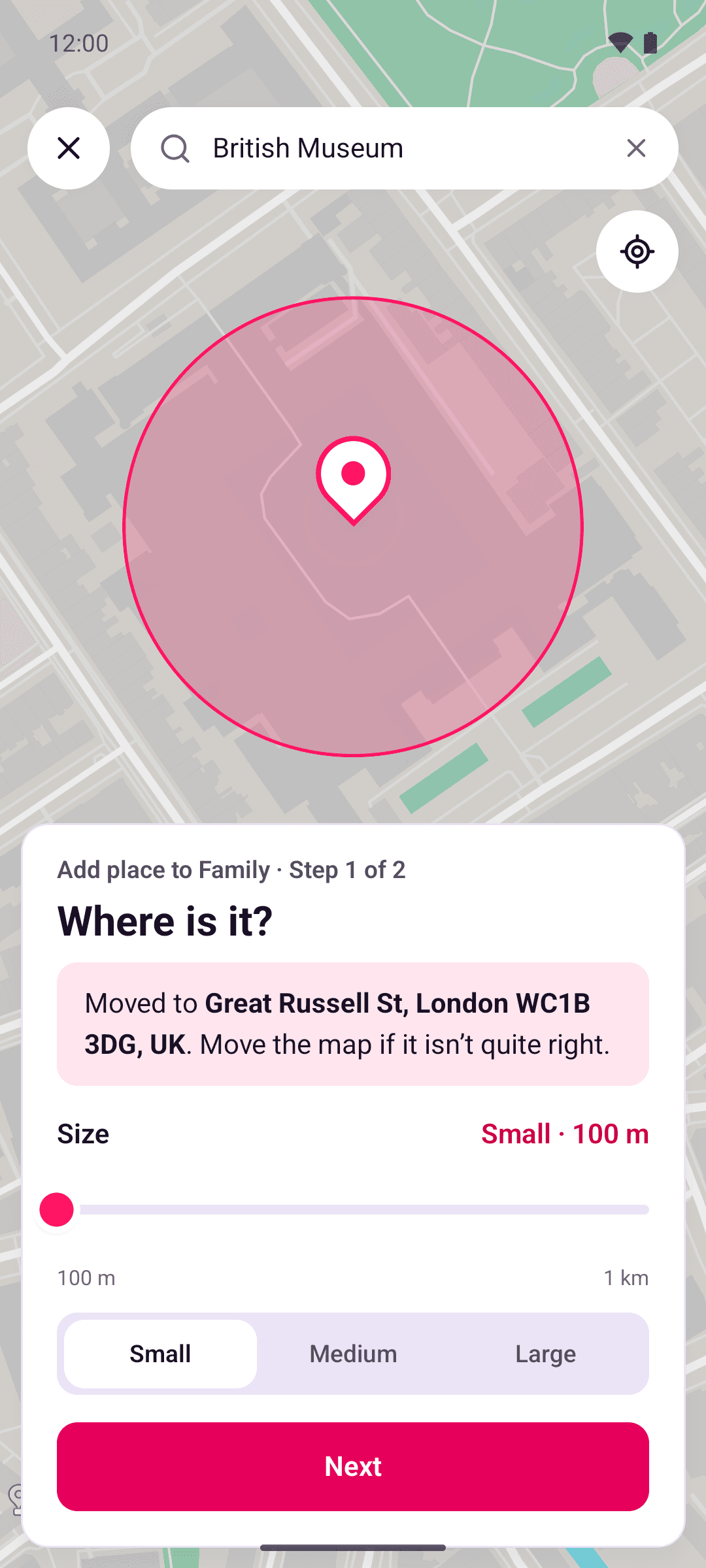
- Search for the address or postcode, or move the map so the pin sits on the place, and choose its size. If more than one place matches your search, pick one from the list. For the size, tap Small, Medium or Large, or drag the Size slider. The edge can be from 100 metres to 1 km from the pin. Tap Next.
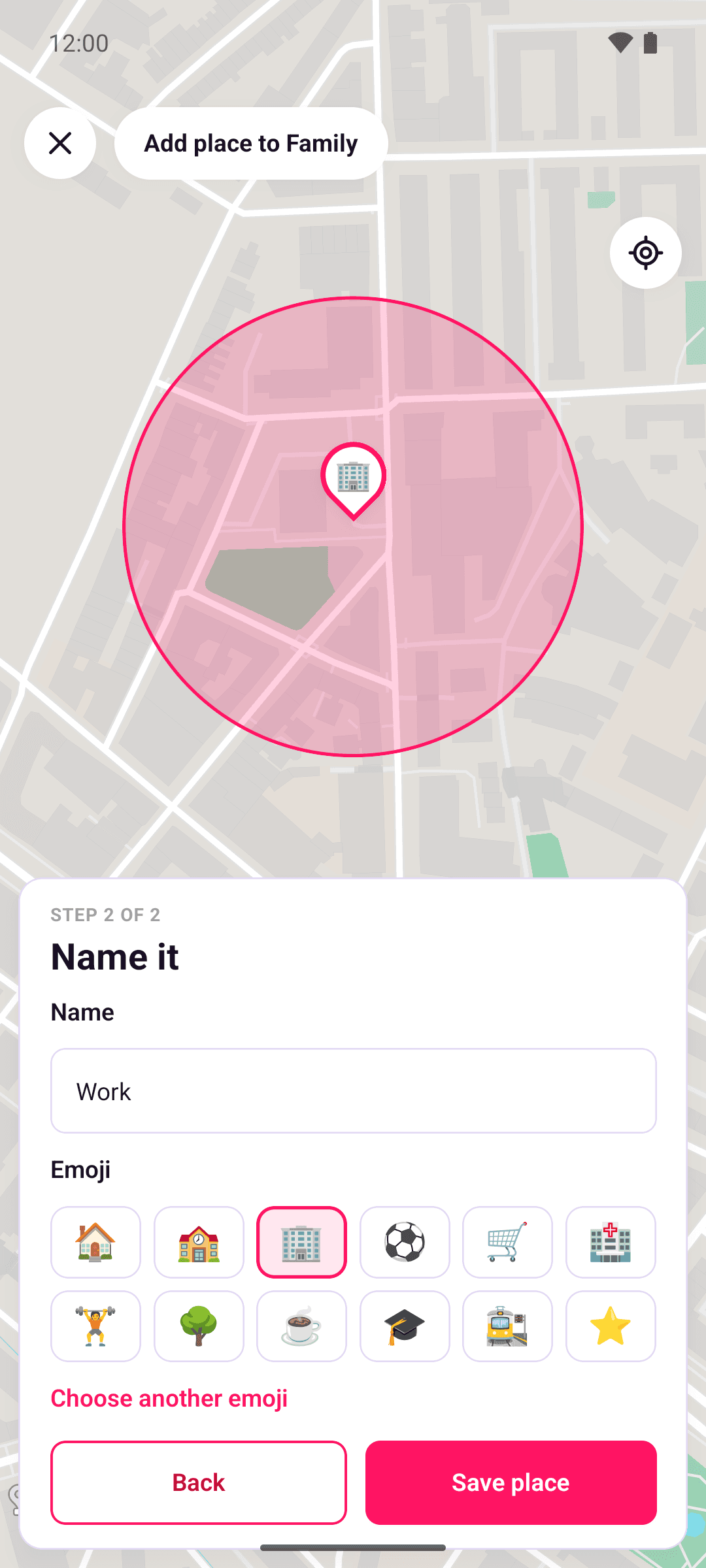
- Give it a name, such as "Home", and pick an emoji. If you searched for a named place, such as a school or a shop, its name is already filled in for you to keep or change.
- Tap Save place.
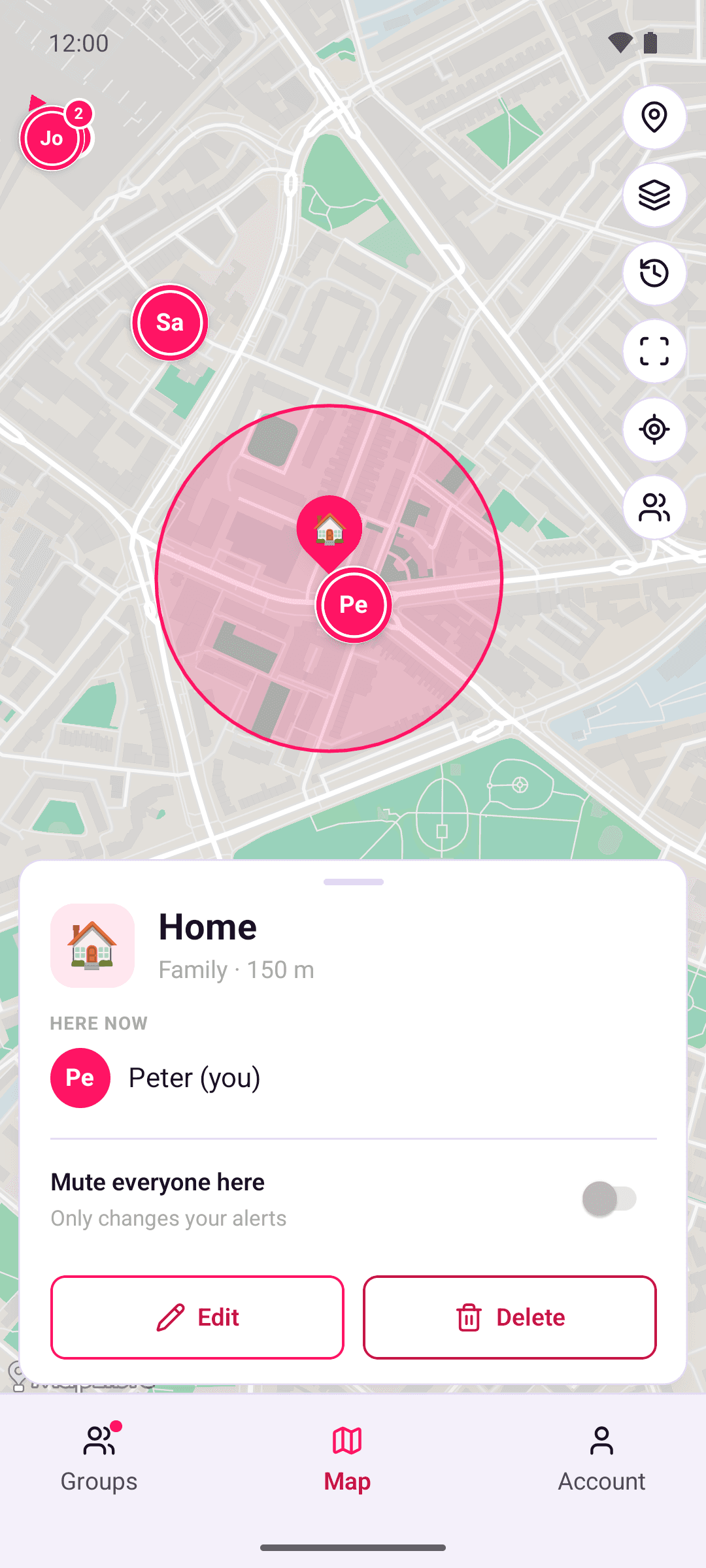
To change or delete a place, tap it on the Places tab. It opens on the map, where you tap Edit or Delete. The edit screen also has Delete place. If you close the editor with unsaved changes, OpenBeacon asks "Discard this place?". Tap Keep editing to go back, or Discard.
What members see
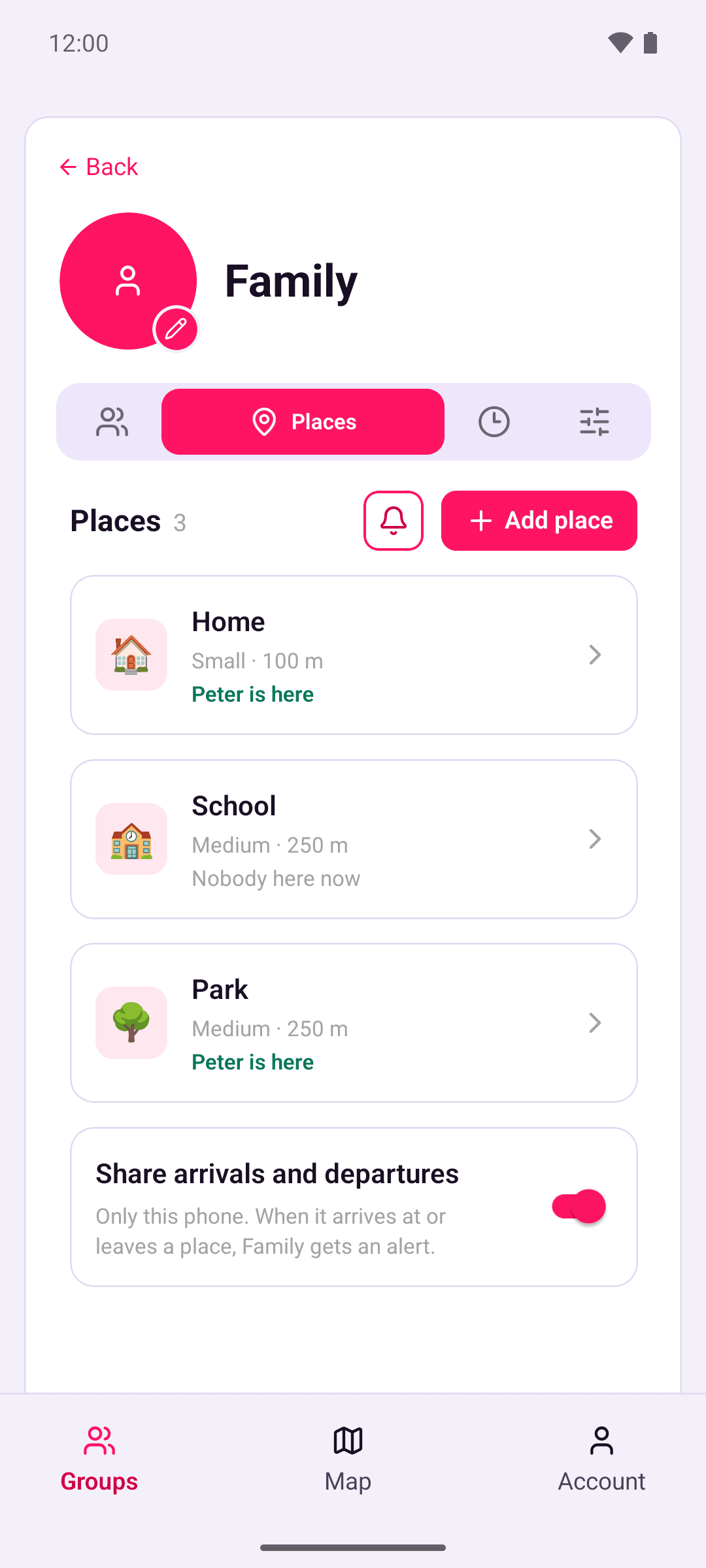
Every member's phone shows the group's places on the Places tab and on the map. The Places tab also says who is at each place right now.
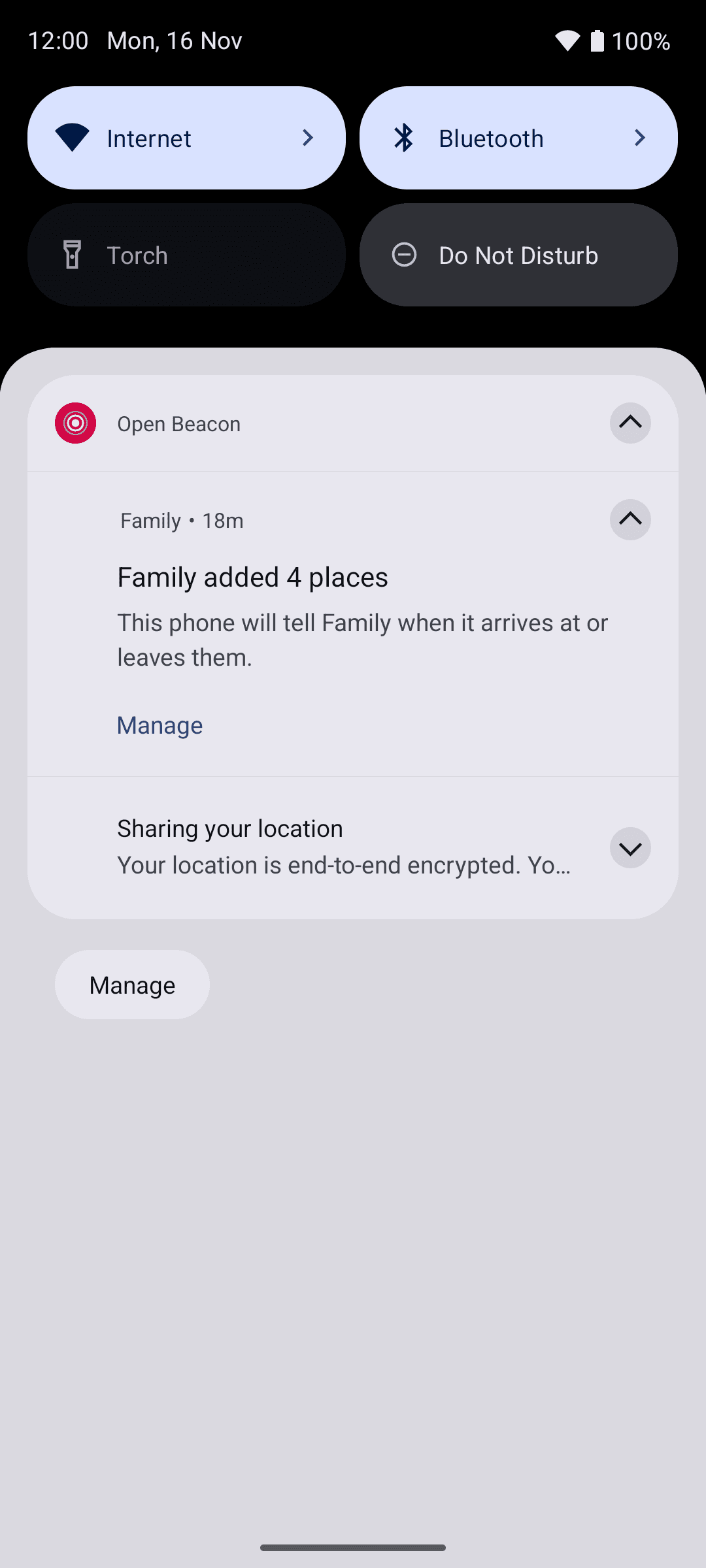
When an owner or admin adds or moves a place, each member's phone shows a notification such as "Family added 🏠 Home". It says that this phone will tell the group when it arrives at or leaves that place. Tap Manage to open the group's Places tab, where you can turn off this phone's arrivals and departures.
Arrivals and departures
Your phone works out for itself when it arrives at or leaves a place. It waits until it has been inside, or outside, for about 2 minutes, so passing by doesn't count.
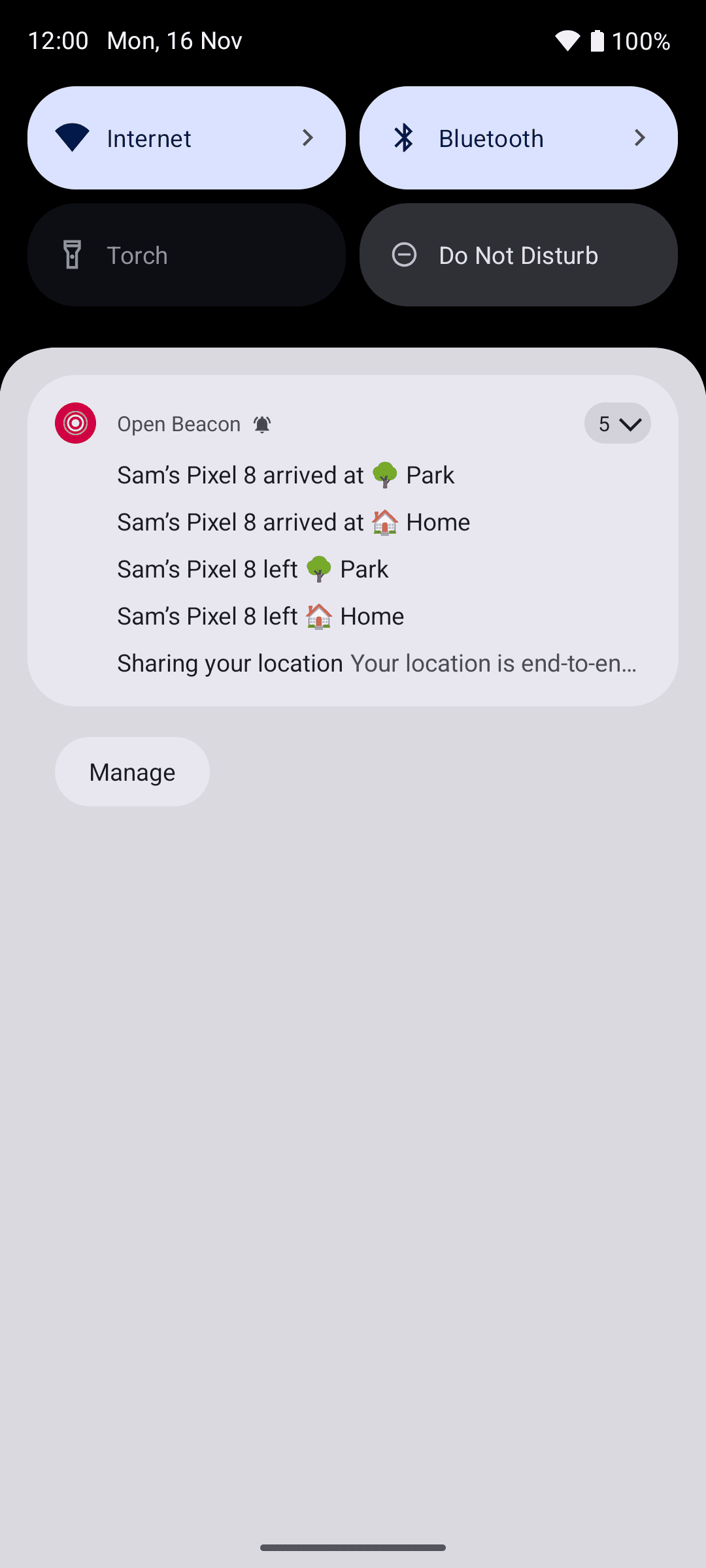
The other members then get an alert, such as "Arrived at 🏠 Home", with the phone underneath, for example "Sam's Pixel 8". Their phone writes the alert, using the nicknames they've given people. If you carry two phones, each one sends its own alert.
If it's online, your phone sends an arrival or departure straight away. How soon the others hear about it depends on the server:
- On our hosted server, the server wakes the other members' phones about 16 seconds later, so alerts usually arrive about 2 minutes after someone arrives or leaves.
- On a self-hosted server, alerts come with each phone's next location upload, usually a few minutes later.
A phone also checks for new alerts whenever you open OpenBeacon.
A phone whose own sharing is paused still gets alerts, but doesn't send its own arrivals or departures. See When notifications arrive.
To stop place alerts on all your phones, turn off Place arrivals and departures in Account › Notifications.
Turn off this phone's arrivals and departures
Share arrivals and departures is at the bottom of the group's Places tab, once the group has a place. It's on unless you turn it off, and it only changes this phone, in this group.
While it's off:
- this phone doesn't tell the group when it arrives at or leaves a place
- the other members see "Arrivals off" next to your name on the Members tab
- you still see the group's places and get alerts about other people.
Turning it back on doesn't send anything that happened while it was off. Your location sharing isn't affected. To stop sharing your location too, pause sharing.
Mute alerts
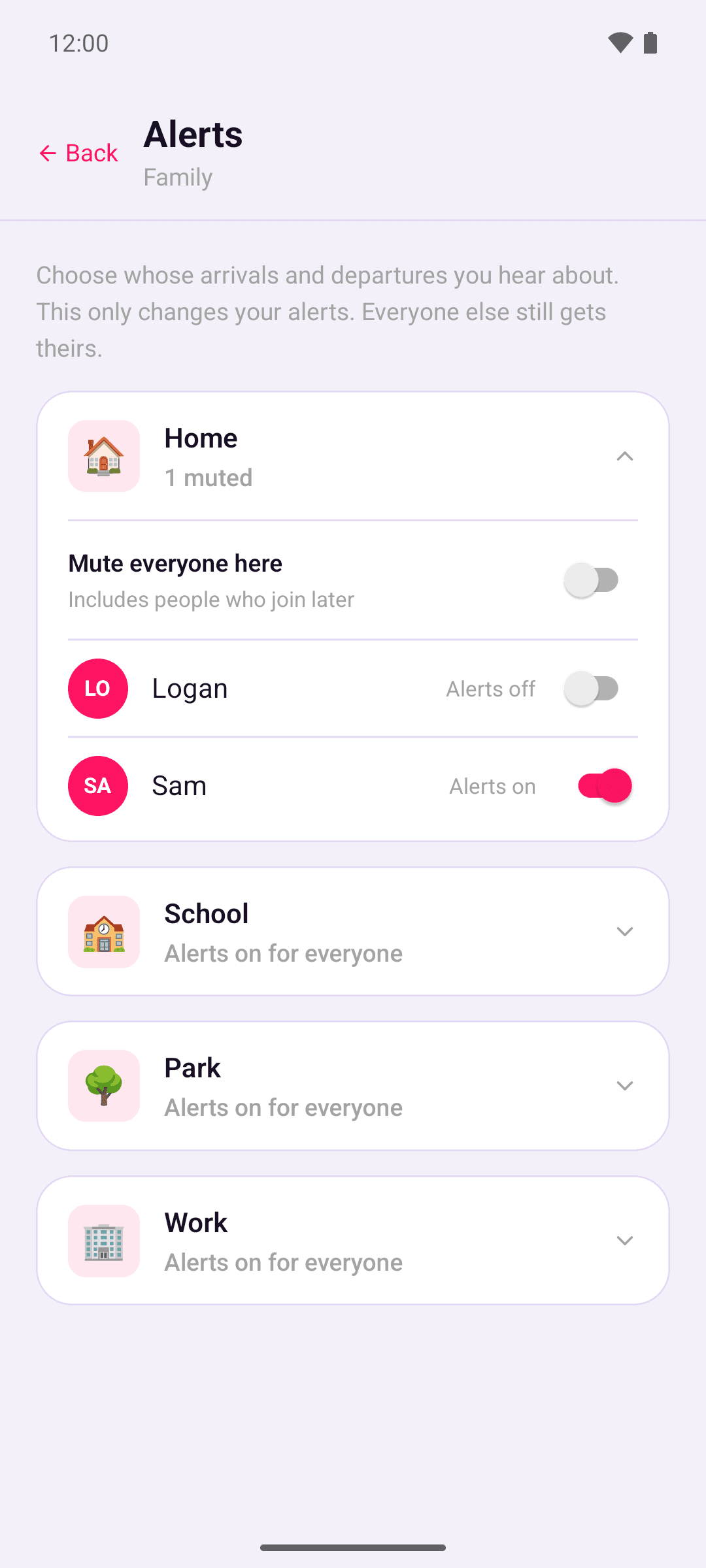
You can choose whose alerts you get at each place. Mutes only change your own alerts, and apply on all your phones. The person you mute isn't told, and their phone keeps sending arrivals and departures to everyone else.
- Tap the bell on the Places tab to open Alerts. For each place, turn alerts off for one person, or turn on Mute everyone here. Muting everyone also covers people who join later.
- Or tap a place on the map and turn on Mute everyone here.
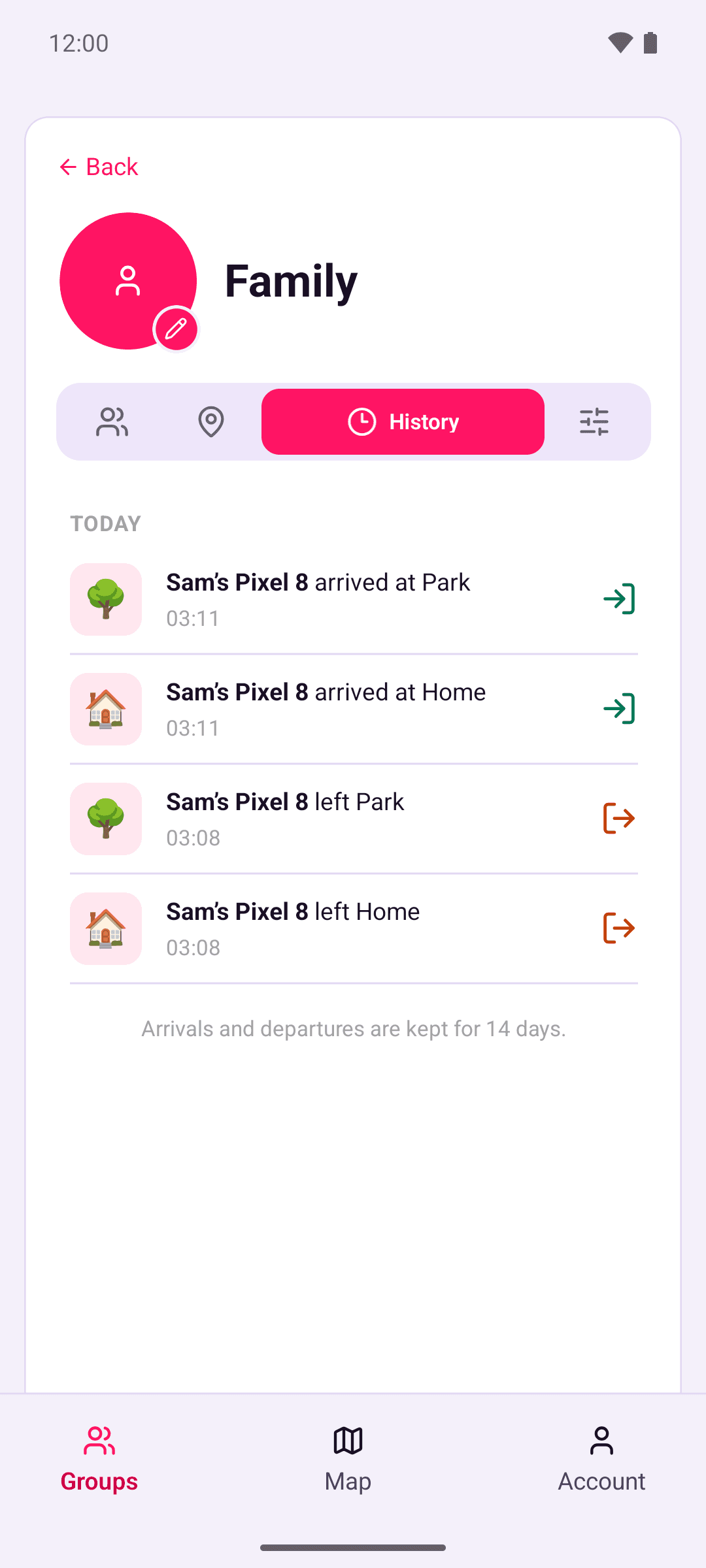
Muted arrivals and departures still show on the History tab.
History
The group's History tab lists arrivals and departures from the last 30 days. See Group history.
New members
When you join a group, its places may show "Syncing, this can take a few minutes" for a while. Another member's phone has to re-encrypt each place with a key you have. That happens by itself when one of their phones next syncs, usually within 15 minutes. You'll only get alerts about arrivals and departures that happen after you joined.
Leaving a group or deleting your account
The places you added stay in a group when you leave it, and are deleted when you delete your account. See Leave a group or remove someone and Delete your account.
What the server can see
A place's position and size are end-to-end encrypted, so the server can't see where a place is. Place names and emoji, and arrivals and departures, aren't end-to-end encrypted. See What the server can see.