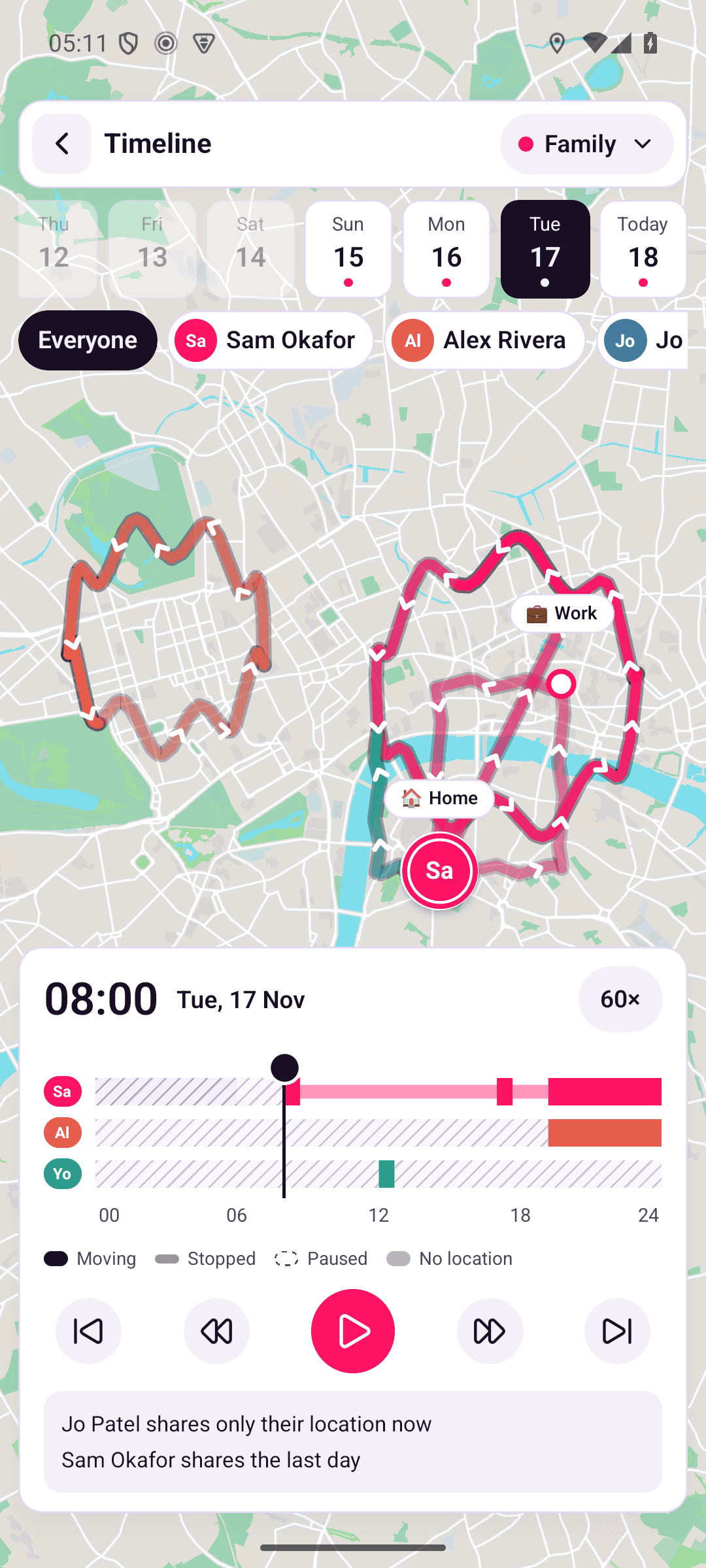
Timeline
Play back where people in a group have been, one day at a time.
Timeline plays back where people in one of your groups have been, one day at a time. It shows the route each person took, where they stopped, and when they paused sharing.
Open Timeline
- On the Map tab, tap the Timeline button on the right-hand side. It opens the group you last looked at in Timeline. The first time, it opens your first group that isn't hidden on the map.
- Or tap someone's pin on the map and tap See today's route. Timeline opens today's route for that person.
Tap the group name at the top to switch to another group.
Choose a day and the people
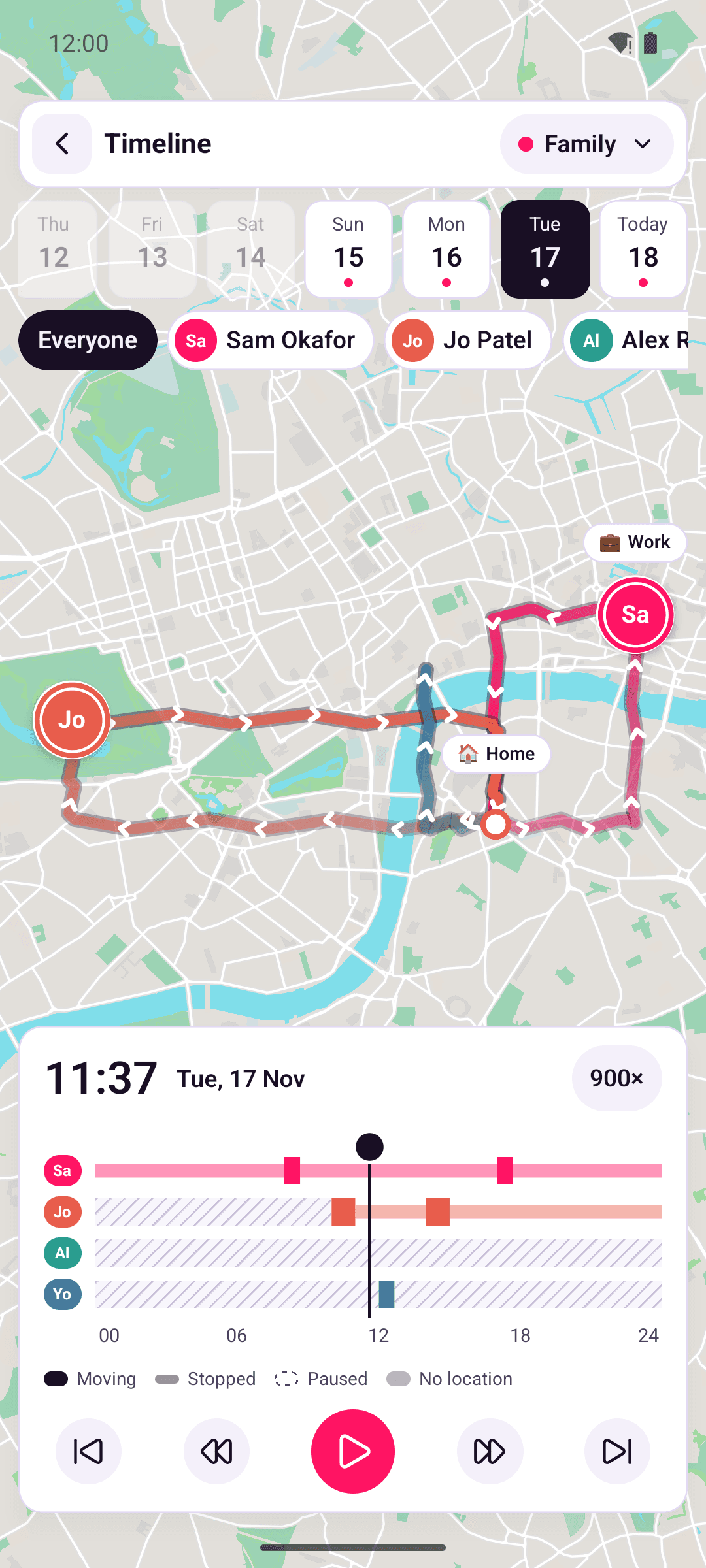
- The days along the top go back as far as your server keeps locations. A dot means there are locations from that day. Days before anyone in the group shared a location are greyed out.
- The people are under the days. Everyone shows the whole group, and you're last as You. Tap a person to see only them. Each person has their own colour for their pin, route and lane.
- Two phones: if someone shares from a phone and a tablet, Timeline shows the one with the most locations that day. Tap Switch to Tablet (or Switch to Phone) to see the other.
If a day has too many locations to show everyone, Timeline shows as many people as it can and says how many. Tap Choose people to pick who to show.
Play it back
Each person has a lane below the map, from midnight to midnight:
| Lane | What it means |
|---|---|
| Solid | Moving |
| Light | Stopped in one place. If it's inside one of the group's places, Timeline shows the place's name, for example "At Home". |
| Dashed outline | Paused: they paused sharing |
| Hatched | No location: nothing was shared for more than 10 minutes, for example because their phone was off or had no signal |
| Plain grey | Not available: time you can't see, because it's before you joined the group, before someone's shared history starts, or older than your server keeps |
Drag along the lanes, or tap the play button. Tap the playback speed to change it between 60×, 300× and 900×. The other buttons jump to the start or end of the day, or move 15 minutes back or forward.
The map follows the person you've chosen. If you move the map yourself, tap the locate button at the top right to follow them again.
The small player
When you move or tap the map, or swipe the controls down, they shrink to a small player so you can see more of the map. It still has the play button, the playback speed, the time and a bar you can drag to move through the day. Swipe it up or tap it to bring back the full controls.
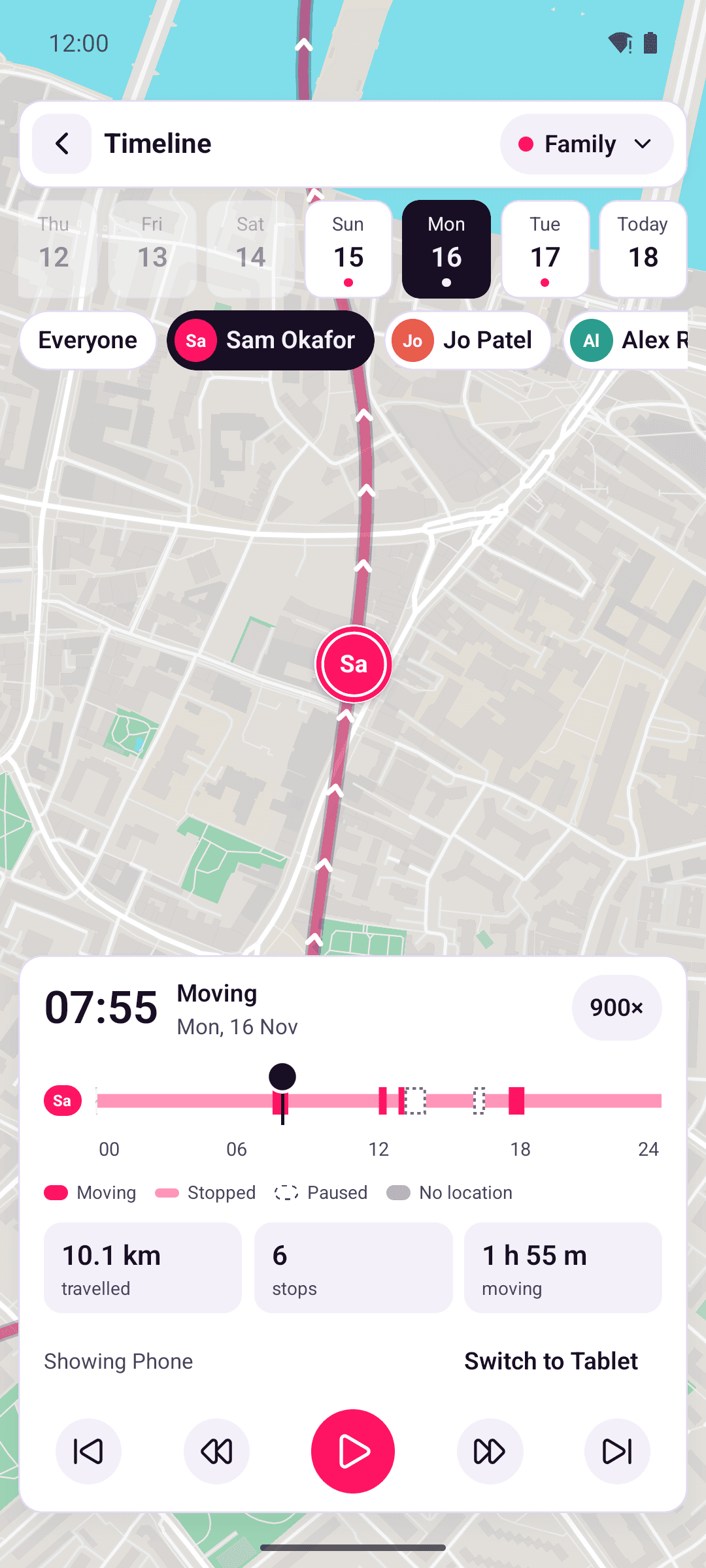
With one person chosen, Timeline also shows how far they travelled, how many times they stopped, and how long they were moving that day. While they're moving, it shows how fast they were going at that time, for example "34 mph". To choose miles or kilometres per hour, see Units.
Pauses
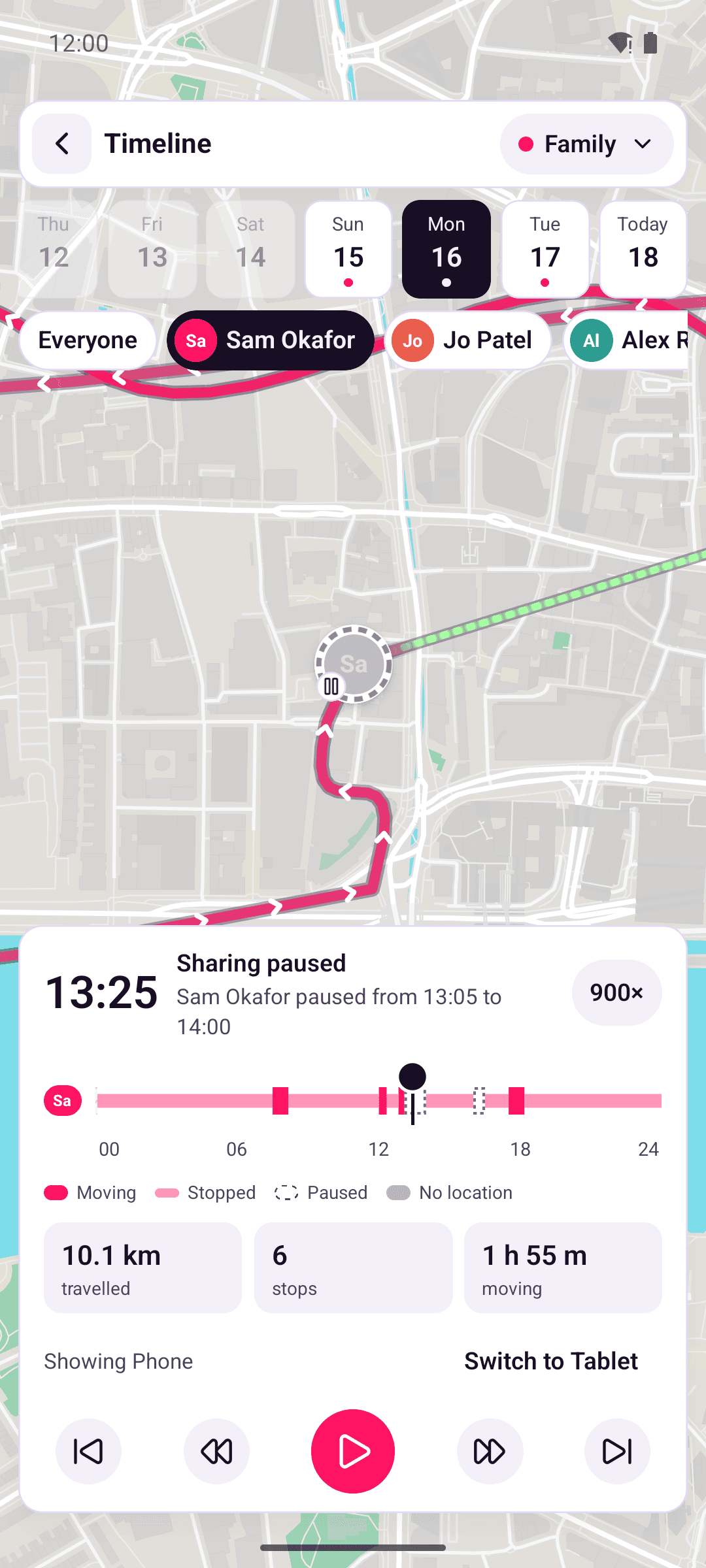
While someone had paused sharing, their pin turns grey with a pause badge and stays where they were when they paused. Timeline says when the pause was, for example "Sam Okafor paused from 13:05 to 14:00". If they were somewhere else when they resumed, a dotted line joins the two places. Timeline can't show where they went in between, because their phone didn't share it.
If someone is still paused, Timeline draws today's pause from their last location, for example "Sam Okafor paused some time after 13:05".
Times in Timeline follow your phone's 12-hour or 24-hour clock setting.
What you can see
- Only people in the group, from when you joined it. If you joined partway through a day, the time before shows as Not available.
- Only as much of each person's history as they chose to share. The time before someone's history starts shows as Not available in their lane. Someone who shares only their location now has no lane. On a day with nothing to show, Timeline says how much each person shares, for example "Sam Okafor shares the last day" or "Jo Patel shares only their location now".
- Locations are decrypted on your phone. The server can't read them.
- Locations sent late, for example after a phone was offline, show on the day they were recorded.
- If some locations can't be decrypted on your phone, Timeline leaves them out and says how many.
Timeline always downloads the whole group's day, even when you look at one person, so the server doesn't learn whose locations you looked at. It does see which group's day you opened. See What the server can see.