Announcements
Tell the people on your server about planned downtime or a problem, in a banner in the app.
An announcement is a short message that appears in a banner for everyone on your server, at the top of the Groups, Map and Account tabs and on the sign-in screens. Use it to warn people about planned downtime, or to say you know about a problem and are fixing it. You can show it to everyone, or only to Android or iOS, or only to some app versions.
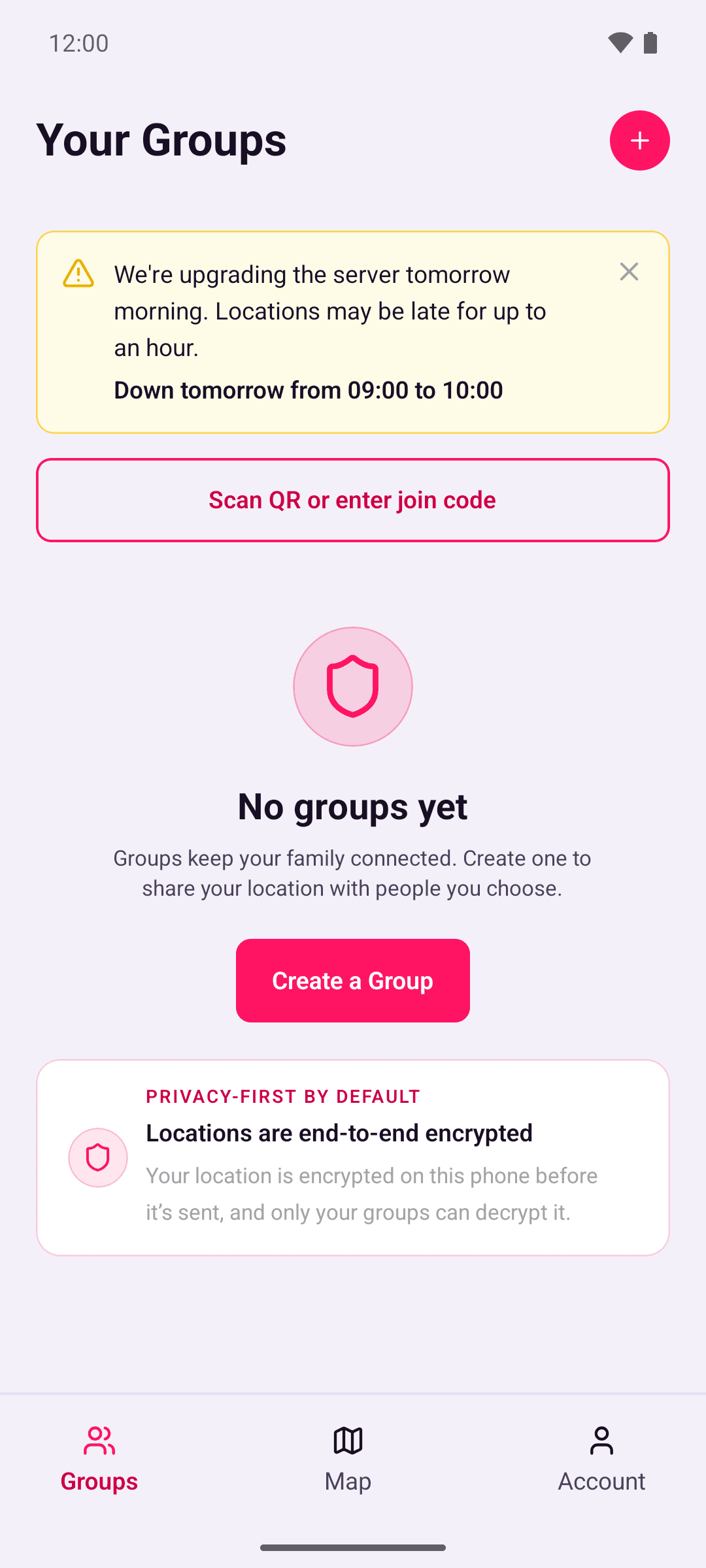
The app picks up announcements when it checks in with your server: when it's opened, when it's brought back on screen (at most every 5 minutes), and every 15 minutes while it stays open. An announcement the app has already seen keeps showing until it ends or the person dismisses it, even if your server goes down in the meantime. Announce planned downtime before it starts, so people see it.
Announcements are plain text with no links. Because the app uses your server rather than ours, each banner also says "From your server" and your server's address. The app never sends your server its platform or version for this. Your server sends every announcement, and each phone decides which ones apply to it.
Add an announcement
Run the announce script in the backend's container. With the quick start, run this in the folder with docker-compose.yml:
docker compose exec backend bun run --cwd apps/backend announce add \
  --message "We're upgrading the server on Saturday morning." \
  --severity warning \
  --downtime-start 2026-11-21T09:00Z \
  --downtime-end 2026-11-21T10:00Z
If you run the containers another way, run bun run --cwd apps/backend announce inside the backend's container.
The script prints the announcement's ID. Your server starts sending it within 30 seconds, and each app shows it the next time it checks in.
| Option | What it does |
|---|---|
--message <text> | The message, as one line of plain text, up to 280 characters. Required. |
--severity info|warning | warning gets a warning colour and shows before any info announcement. Defaults to info. |
--downtime-start <time>, --downtime-end <time> | When planned downtime starts and ends. The app shows these in each person's own time zone, such as "Down tomorrow from 9:00 AM to 10:00 AM". Someone who dismissed it earlier sees it once more from an hour before the downtime. Give both or neither. |
--from <time> | When to start showing it. Defaults to now. |
--until <time> | When to stop showing it. Can't be combined with --for. |
--for <duration> | How long to show it for, counted from --from, such as 90m, 2h or 1d. |
--platform android|ios | Show it only on one platform. |
--min-version <x.y.z>, --max-version <x.y.z> | Show it only on app versions in this range, inclusive. Either can be left out. |
Every announcement needs an end: --until, --for or, for planned downtime, --downtime-end, which is used when you give neither. It must end within 90 days of when you add it. Apps receive up to 20 announcements at once, warnings first, and show one at a time. Give times in ISO 8601 with a time zone, such as 2026-11-21T09:00Z or 2026-11-21T09:00+01:00.
For a problem you're dealing with now:
docker compose exec backend bun run --cwd apps/backend announce add \
  --message "Locations are delayed. We're working on it." \
  --severity warning --for 2h
List and end announcements
To see every announcement that's showing now or will show later:
docker compose exec backend bun run --cwd apps/backend announce listTo end one straight away, using the ID from the list:
docker compose exec backend bun run --cwd apps/backend announce end <id>Apps that already have it stop showing it at their next check-in, or when its original end time passes. Someone who dismissed an announcement doesn't see it again, apart from the reminder an hour before planned downtime.